Using AI Agents with Your Databases
Dagger represents a powerful tool for converting intricate configuration files and fragile shell scripts into dependable, maintainable code. By leveraging containers and isolated environments, Dagger empowers developers to incorporate sophisticated business logic into workflows, access additional libraries, and reliably deploy code.
Dagger recently introduced built-in support for Large Language Models, broadening its functionality to streamline workflows. This capability enables developers to construct intelligent, AI-powered workflows directly within their deployment pipelines using consistent tooling.
Key Benefits of AI Agents with Dagger
Seamless LLM Integration
Dagger's LLM primitive enables switching between providers like OpenAI, Anthropic, and Gemini through environment variables without code modifications.
Built-in Observability
OpenTelemetry support provides comprehensive pipeline visibility. Tools like Dagger Cloud and the Terminal User Interface deliver real-time insights into each workflow stage.
Secure, Sandboxed Environments
Container-based execution ensures LLMs access only explicitly granted resources, enhancing security and workflow predictability.
Modular and Reusable Workflows
Dagger encourages building complex workflows from simpler, reusable components, promoting team collaboration and scalability.
Getting Started with AI Agents in Dagger
- Install Dagger CLI on your system
- Initialize a Dagger Module using
dagger initwith preferred SDK - Configure LLM provider through environment variables
- Develop agent functions utilizing Dagger's LLM and Env primitives
- Execute and refine through observability tools
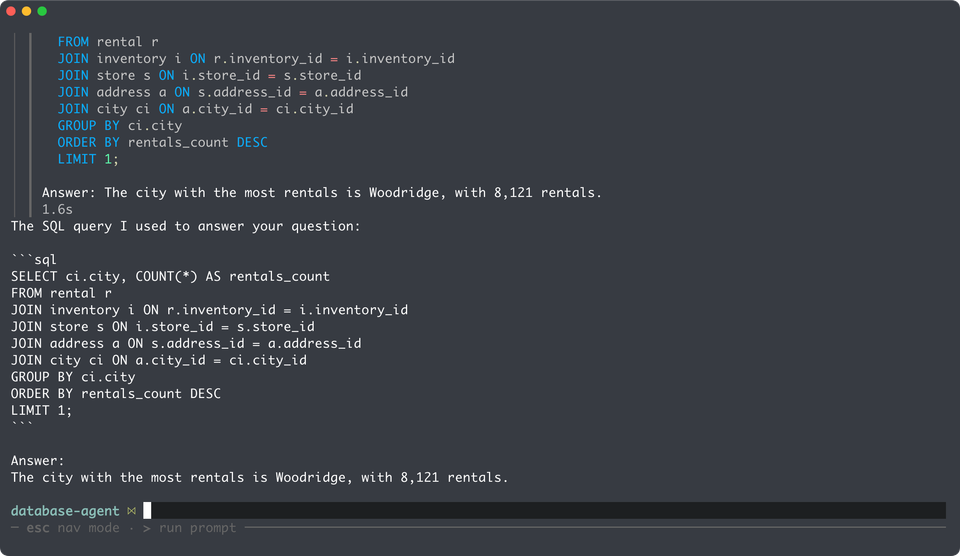
Demo: Natural Language Database Queries
Integrating AI directly into workflows enables intelligent, secure, observable pipelines suitable for code generation, testing, and deployment automation.